
One POS for the counter, the kitchen, and every branch.
KhataSync POS handles fast checkout, dine-in tables, kitchen tickets, staff shifts, and multi-branch reporting — built for restaurants, cafés, and retail stores alike.
- System Modules
- 18
- System Modules
- Branch & Company
- Multi
- Branch & Company
- + Retail Ready
- Dine-In
- + Retail Ready
- Role-Based Access
- 100%
- Role-Based Access
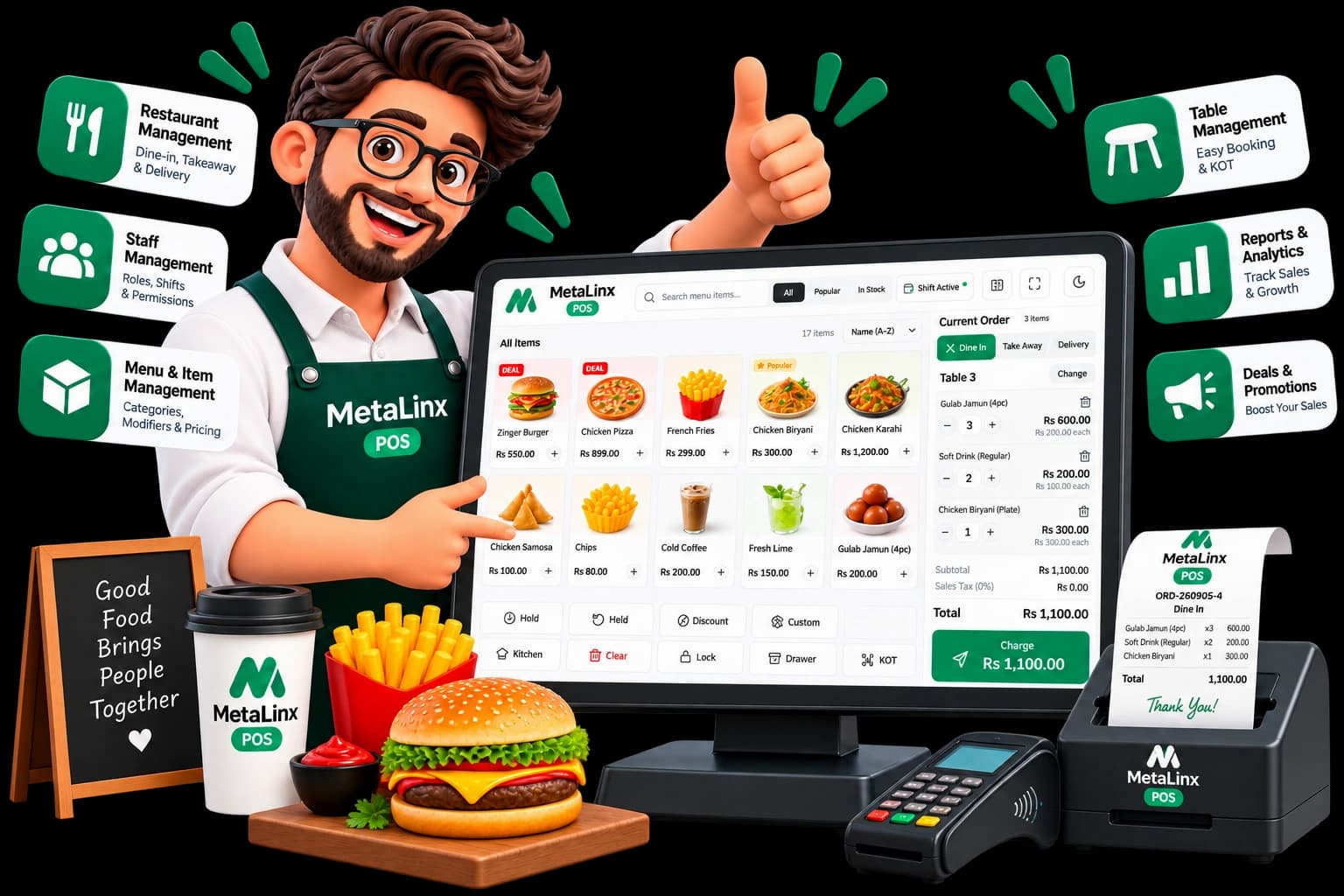
Everything the counter and the kitchen need
One system for checkout, tables, kitchen, staff, and reporting — no separate tools to keep in sync.
Fast POS Terminal
Create orders, apply discounts, void items, hold orders, and process refunds — all from a checkout built for speed.
Dine-In Table Management
Assign and track orders by table, ideal for restaurants and cafés running a full dine-in floor.
Kitchen Display System
Orders route straight to the kitchen as tickets, tracked from fired to ready without a single paper slip.
Multi-Branch & Multi-Company
Run every branch from one account, each with its own staff, stock, products, and reporting.
Staff, Roles & Shifts
Granular role-based permissions for every module, plus shift open/close tracking for every cashier.
Customers & Store Credit
Save customer profiles and keep track of store credit and outstanding balances as orders come in.
Deals & Promotions
Configure combo deals and promotional pricing ahead of time — no manual price overrides at the till.
Reports & Backup
Sales, category, and staff performance reports exportable to Excel, with one-click database backup and restore.
Explore Business Types
Built to fit how your business actually runs — browse what's covered, grouped for quick scanning.
Restaurants & Cafés
- Dine-in table management with live status
- Kitchen Order Tickets (KOT) that print or display the moment an order is placed
- Combo deals for burgers, BBQ, karahi, bakery, and coffee counters
Retail & Grocery
- Fast, barcode-ready checkout that keeps queues moving
- Stock-aware categories for grocery, general stores, and supermarkets
Pharmacies & Salons
- Quick, itemized billing for pharmacies, salons, and appointment-based counters
- Expiry-aware stock tracking for medicine and time-sensitive items
Electronics & Mobile Shops
- Category-organized checkout for mobiles, accessories, computers, and audio gear
- Serial/IMEI tracking for high-value electronics
Bakeries & Sweet Shops
- Weight and piece-based pricing for bakery, sweets, and confectionery counters
- Pre-order & advance booking for cakes and festive orders
Clothing & Fashion Boutiques
- Size and variant-aware catalog for apparel, footwear, and accessories
- Seasonal collection tracking so last season's stock never gets lost
Hardware & Building Supplies
- Bulk-unit pricing and stock tracking for hardware, paint, and building materials
- Trade-account billing for contractors and repeat wholesale buyers
Auto Parts & Workshops
- Fast parts lookup and billing for spare parts, tyres, and service counters
- Job-based invoicing that separates parts from labour charges
Included Modules
One login, the whole floor.
Cloud vs Desktop
See exactly what's different between deployments before you decide.
| Feature | Cloud | Desktop |
|---|---|---|
| Dashboard with sales analytics | ||
| POS terminal — orders, discounts, void items, hold orders, refunds | ||
| Multi-branch & multi-company support | ||
| Order management with refund & export | ||
| Sales & performance reports with export | ||
| Product & category catalog management | ||
| Deals & promotions | ||
| Dining table management | ||
| Kitchen Order Tickets (KOT) with live status updates | ||
| Shift management (open/close) | ||
| Customer management (CRM) | ||
| Staff management with role-based permissions | ||
| Configurable settings per branch | ||
| Cloud-hosted — access from any device, anywhere | ||
| Real-time sync across all devices | ||
| Always up to date, no manual backups needed | ||
| Offline-first — works without internet | ||
| Local database for fast, uninterrupted billing | ||
| Local backup & restore | ||
| Cloud sync when online | ||
| Per-device license activation |
What customers say
Real feedback from businesses running on KhataSync POS.
“Order-to-kitchen used to be shouted across the counter. Now tickets print themselves and our kitchen staff can see exactly what's pending — service got noticeably faster within the first week.”
Usman Tariq
Owner · Grill House
“Running three branches from one dashboard changed how we manage stock. I can see which branch is low on a product without calling anyone.”
Hina Sheikh
Manager · Sheikh Grocery Mart
“Shift tracking and role permissions were the two things I actually needed. Cashiers can't touch reports, and I know exactly who was on the till when a refund went through.”
Kamran Yousuf
Founder · Yousuf Electronics
Frequently asked questions
Common questions about KhataSync POS.
Yes. It ships with category presets and workflows for both — dine-in tables and kitchen tickets for restaurants and cafés, and fast checkout with stock-aware categories for retail, grocery, pharmacy, and electronics counters.
Yes. Companies and branches are built into the core of the system, each with its own staff, products, stock, and reporting — all manageable from one login.
KhataSync POS runs on a fast local database rather than depending on a distant server for every action. A dedicated offline desktop version, built specifically for locations with unreliable internet, is currently in development.
Yes. Every module — POS, orders, tables, kitchen, reports, and more — is gated by role-based permissions, so cashiers, kitchen staff, and managers only see what their role needs.
Yes. Orders and reports can be exported to Excel directly from the dashboard, so you can hand off data to an accountant or analyze it elsewhere.
The Backup module lets you create and restore full database backups on demand, so your sales history and settings are never one bad update away from gone.
Ready to see it on your counter?
Book a short, no-pressure demo — we'll show you exactly how KhataSync POS fits your business.
Book a Demo